How to program your garage door remote in Goodlettsville
The Learn button steps for most remotes, what to check when pairing fails, and when to stop and call a pro instead of resetting the opener.
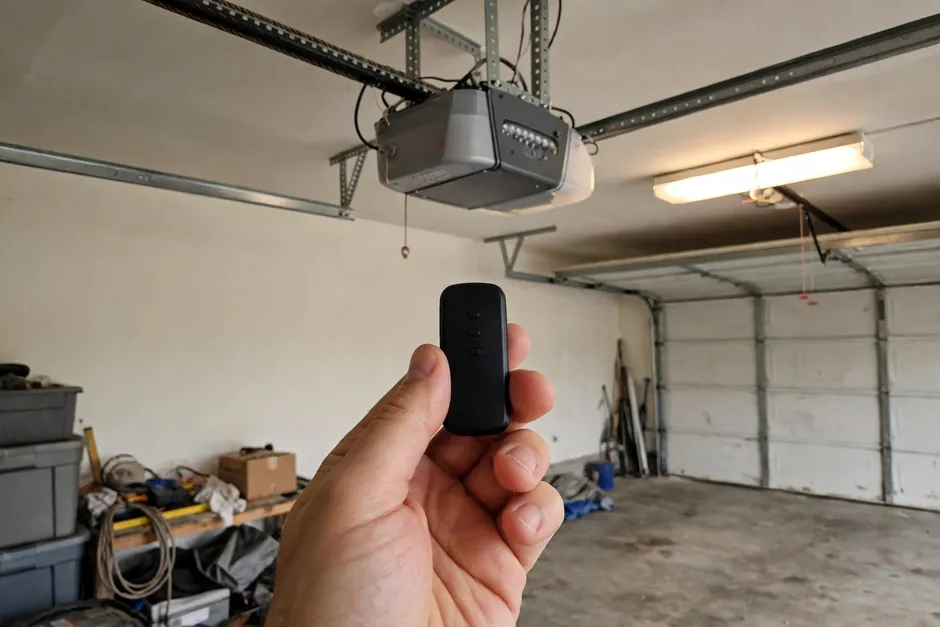
Programming a garage door remote usually takes a few minutes, and it follows the same basic pattern on most openers: put the opener into learning mode, press the remote button, and test the door. The details vary by brand and model, so your opener manual is the final word, but the steps below cover the common LiftMaster, Chamberlain, and Genie pattern used in many Goodlettsville homes.
A garage door remote is a small radio transmitter that tells the opener motor to run. When you program it, you are teaching the opener to recognize that remote's code, which is why a remote that worked at a previous home will not open your door until it has been paired here.
How do you program a garage door remote?
To program most remotes, first close the door and keep people, pets, and cars clear of its path. Then follow these steps, checking your manual if your opener looks different. Stand on a steady step, not on the door itself, and never touch the springs or cables while you work overhead.
- Find the Learn button on the opener motor unit, usually on the back or side near the antenna wire. On many LiftMaster and Chamberlain openers it is colored green, red, orange, purple, or yellow.
- Press and release the Learn button. The indicator light should glow for about 30 seconds, which is your window to program the remote.
- Within that window, press and hold the button on the remote you want to program until the opener lights blink or you hear a click.
- Release the remote button, then press it again to test the door. If the door moves, the remote is paired.
- Repeat for each extra remote, one at a time.
One warning matters more than the rest: do not hold the Learn button for about six seconds unless you mean to erase every remote and keypad from the opener, because that is what a long hold does on many models. If that happens by accident, you will need to reprogram each remote from scratch. LiftMaster's guide to Learn button functions explains what each press and color means on its openers.
What if the remote still will not work?
Work through the simple causes first, in order. Replace the remote battery, and make sure you are standing within range with a clear line to the garage. Check that the opener is plugged in and that its wall control still runs the door.
That last check tells you whether the fault is the remote or the opener. Then look at the photo-eye sensors near the floor on each side of the door: if one is dirty, knocked out of line, or blocked, the door may refuse to close.
Other common causes are a wall control left in lock mode, which disables remotes on some models, and an older remote that no longer matches a newer opener's rolling code system. If the opener hums, clicks, or moves only part way, that points to an opener or door fault rather than a remote fault, and it is worth a professional check.
What about keypads and car buttons?
Keypads and built-in car buttons program in a similar way, but the sequence differs. A keypad usually asks you to enter a code after pressing Learn, while a car button often needs to be paired with a handheld remote first, then with the opener.
Both are covered in the opener and vehicle manuals, and both can be erased by a long Learn hold, so keep track of which remotes you have paired.
When should you call a professional?
Call (615) 805-0680 if the opener does not respond at all, if the door moves unevenly or reverses for no clear reason, or if programming works for a day and then fails again. Those signs can point to a failing logic board, a sensor fault, or a door balance problem.
None of them are fixed by buying another remote. The same applies if you have lost a remote and want the old codes cleared safely. For related help, see our pages on remote programming, opener repair, and emergency repair, plus repair help for Union Hill and East Goodlettsville. Most repairs typically fall in the $129-$299 range, and you agree the price before work starts.